

Customer Reviews for VEVOR 7-in-1 Wi-Fi Weather Station, 7" TFT Color Display, Wireless Weather Station with Solar-Powered Sensor, Indoor Outdoor Monitoring for Temperature, Humidity, Wind Speed Direction, and Rainfall
7-in-1 Sensor (Solar Powered) WiFi(No APP) 7" TFT Display
Customer Reviews
How customer reviews and ratings work
Customer Reviews, including Product Star Ratings help customers to learn more about the product and decide whether it is the right product for them.
Our overall rating is not a simple average. We prioritize authentic, trustworthy reviews and filter out duplicates or invalid content before calculating the final score. This helps ensure the rating truly reflects real customer experiences.
Review this product
Share your thoughts with other customers
Write a Review
2203 Reviews
Reviews for Current Item
Verified Purchase
Photos and video only
Translate all reviews to English
 Fabrizio
Ottima stazione meteo 7 in 1
Avevo già acquistato una prima stazione meteo di marca tedesca 5 in 1 poi ho voluto fare un upgrade con una che rilevasse anche la pioggia e UV e questa ad un prezzo bassissimo è perfetta...l ho installata sul tetto ad una distanza di circa 50 metri dal display interno ed ho sempre un ottimo segnale pur avendo i muri spessi.
Super soddisfatto.
0 people found this helpful
Translate review to English
IS Erfüllt seinen Zweck
7-in-1 Sensor (Solar Powered) WiFi(No APP) 7" TFT Display
Gutes Gerät. Internetverbindung etwas kompliziert, nur über eine VPN-Verbindung. Nach meiner Meinung nicht sicher für de WLAN-Netzwerk.
0 people found this helpful
GLANGETAS Station météo
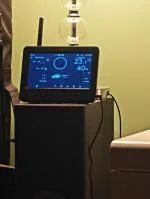
Bonjour , je n'ai plus de connexion avec la station de dehors la pile est à 4 volts pouvez m'indiquer ce qu'il faut faire j'ai déjà fait reset
14 people found this helpful
Translate review to English
Koodie Vevor weerstation 7-in -1 WLAN weerstation
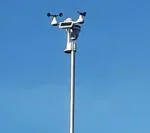
Prima weerstation maar helaas blijven de regenwaardes maar een paar dagen aktief en staan de weergaves weer op nul , graag had ik hier een oplossing voor .
17 people found this helpful
Translate review to English
Anders Mr.
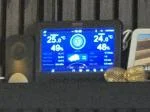
Virker ok er dog lidt usikker på at inde temperatur er helt korrekt.
4 people found this helpful
Translate review to English
Mariano Temperatura
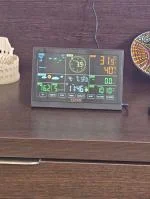
Hola la temperatura 🌡️ esterior ha dejado de macarla. Lo demás sigue bien. Me gustaría saber a qué se debe que no funcione la temperatura exterior
1 people found this helpful
Translate review to English
Thomas Lehnerd Pretty good. Easy setup. Works with Weatherunderground.com
7-in-1 Sensor (Solar Powered) WiFi(No APP) 7" TFT Display
I would be giving this station a solid five stars, except, the rain gauge is nutz,( sometimes reporting 12" of rainfall in a few hours) and the anemometer occasionally spikes at 117mph if a gust over 50mph hits it. (can you say dust devil?) Otherwise a solid unit. It performs better than it predecessor, an Accurite 7 in one weather station. The rain gauge on that didn't seem to work either. Our Accurite station began to show signs of weathering after only a few months in the desert sun. After several months the Vevor still looks good as new. The Vevor 7 in 1 weather station also is designed better than many other multi sensor setups, in that the anemometer cups and wind vane are on top and not interfered with by the wind flow around the pole and the rest of the unit. Setup is easy and the user manual makes sense, mostly.
0 people found this helpful
VEVOR Customer accuracy and customer service
7-in-1 Sensor (Solar Powered) WiFi(No APP) 7" TFT Display
Worked great until it didn;t. Rain guage started reading double and tripple digits after 1/2 inch after just 7 months. UPFATE" Contacted customer service and found response was great, best service I've had in a long time. As far as the product goes, time will tell.
0 people found this helpful
Alistair Johnston VEVOR 7-in-1 Solar-Powered Wi-Fi Weather Station 7" TFT with Outdoor Se
7-in-1 Sensor (Solar Powered) WiFi(No APP) 7" TFT Display
Very good personal weather station with easy set up (wifi setup a little long winded). Biggest fault is that it does not have an app that connects directly to it, but uses a weather app for multiple users that requires subscription to register your station. Screen is excellent, but could do with a display off function when not required.
0 people found this helpful
Tim Me
Bought this YT60307 to replace my YT60234 that died 4 months after 1-year warranty expired. Almost replaced with another brand. Decided to go back to Vevor because: 1) I received partial refund. 2) It's the only brand that solar-recharges it's own backup batteries. 3) Low price is irresistible. I rated quality low because my old one died young and turned yellow. I don't expect this one to fare any better. But my other Vevor products have bee very high quality. So I'll give the YT60307 a chance.
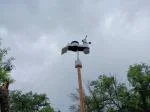
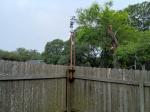
Setup was easy because since my Router and WiFi were still setup for the YT60234, the YT60307 just worked, as in plug-and-play. In fact Weather Underground and Weathercloud never even knew anything happened. I stayed online throughout. I moved the installation location off from the roof and mounted it on top of a 10 ft high wooden pole, that I made just for this purpose. The pole is attached to a fence post. I think the temperature readings will be better. The roof mounted station was often several degrees too high in the summer, here in central Texas, especially on calm days.
Cons:
The white PVC(?) housing of the YT60234 turned very yellow in one year due to UV rays from sunlight. So I painted the purplish white of the YT60307 with white paint and clear Polycrylic. I believe it will remain white.
The manual says to download some software. The text of the link is wrong, but the QR code was correct. I did not use it because the YT60307 just worked as soon as I turned it on ... yes, immediately. I think the software is recommended because WiFi - Router setup is clumsy. And I do not want to setup yet another "account" with some software company out there in "the cloud". Connecting to 192.168.1.1 locally is a better way to go. I'm not sure if that would have worked this time. It isn't even mentioned in the YT60307 manual.
Based on what I've read in online reviews, almost nobody can figure out how to connect it to the Internet. The trick is to temporarily change your router from 5 GHz to 2.4 GHz while you setup the station, and then change it back to 5 GHz when finished. This stops most people right there because there is no switch on routers to change the frequency. You have to logon to your ISP account and jump through some hoops.
0 people found this helpful